
Software
CaptureShare
CaptureShare is a powerful free application that helps teachers to achieve a richer collaborative classroom video conferencing experience.
Product views
Overview
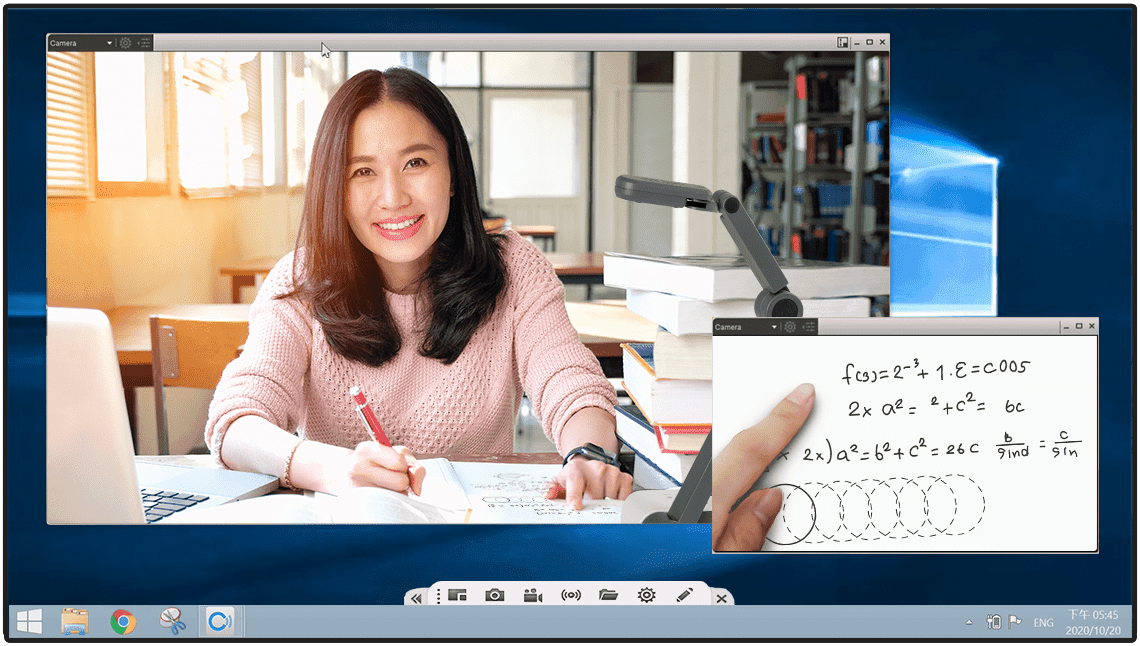
AVer’s CaptureShare is a powerful free application that helps teachers turn AVer visualizers & PTZ cameras into an even more effective distance learning collaboration tool. Teachers can easily record video, live stream, and capture still images during class. Simply put, with CaptureShare teachers can achieve a richer collaborative classroom video conferencing experience than ever before.
Collaboration is King
CaptureShare offers annotation, snapshot, and livestream functions during classroom video conferencing. Close collaboration between laptops, AVer visualizers, and PTZ cameras will bring collaborative interactive education to new heights.
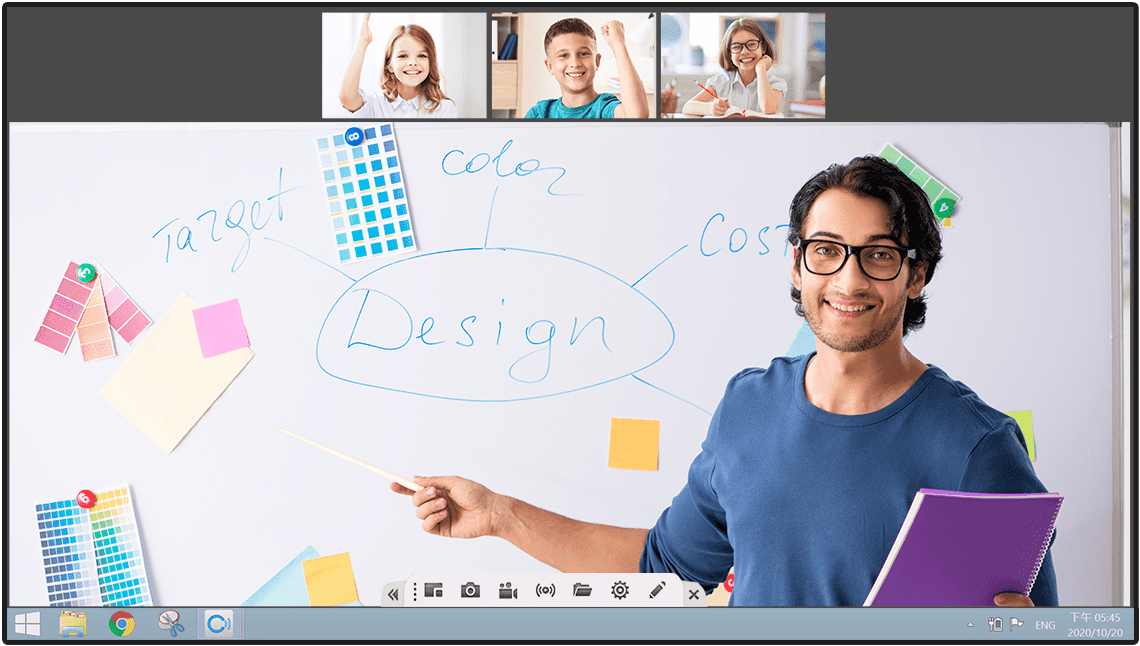
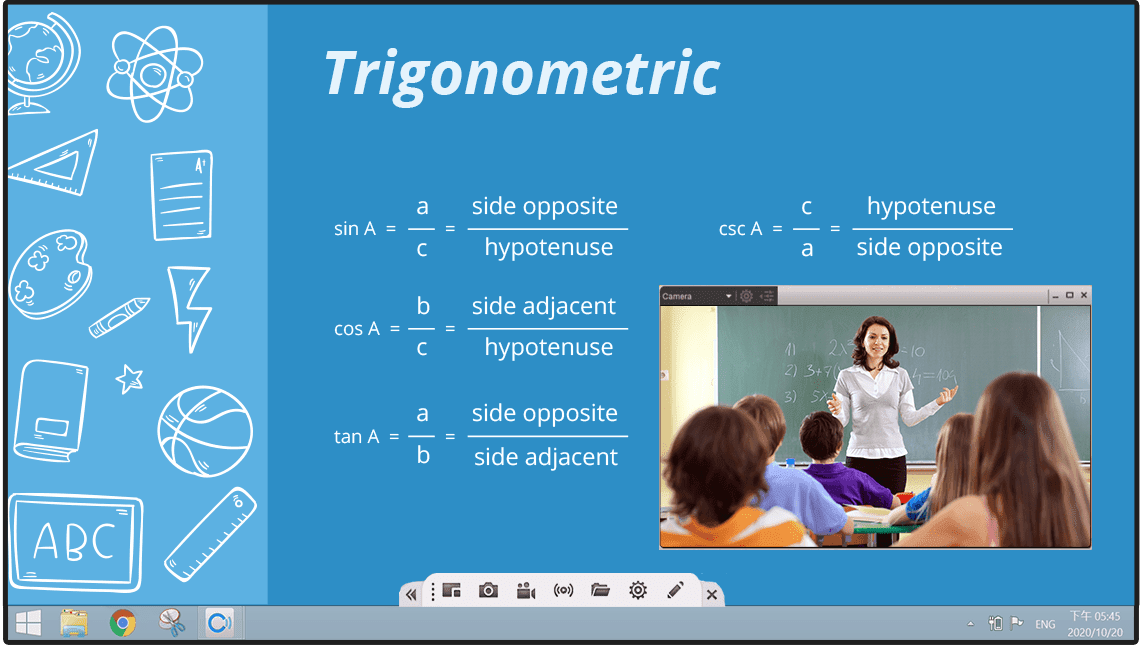
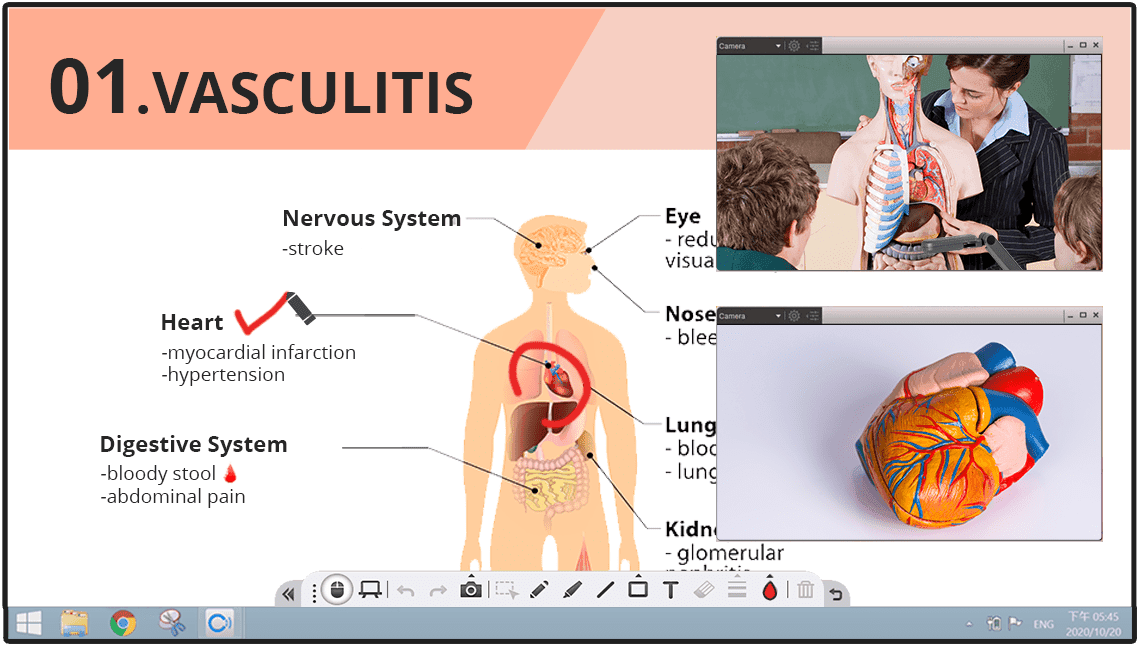
Connect All Types of AVer Cameras
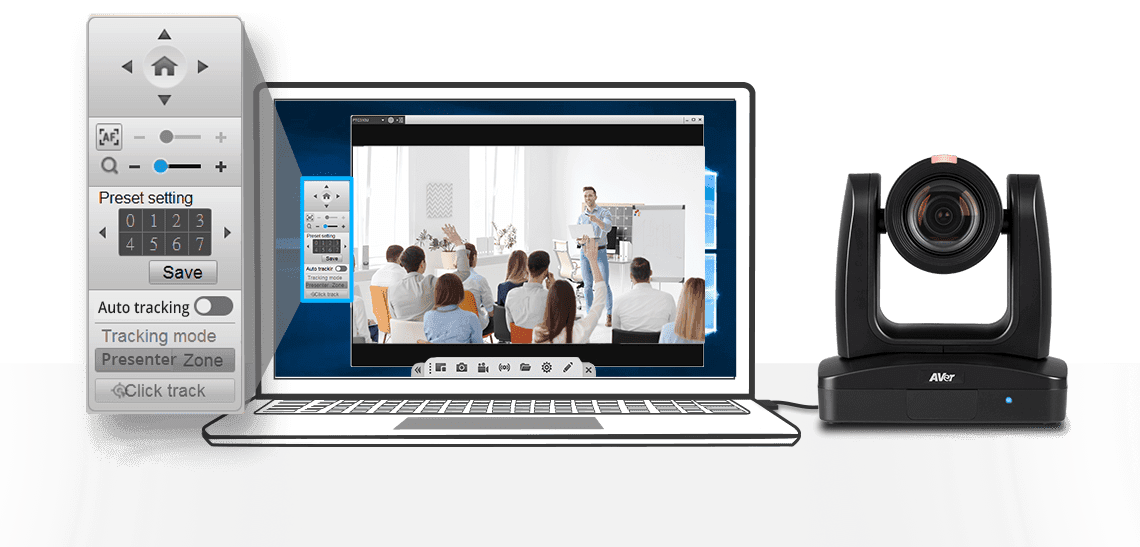
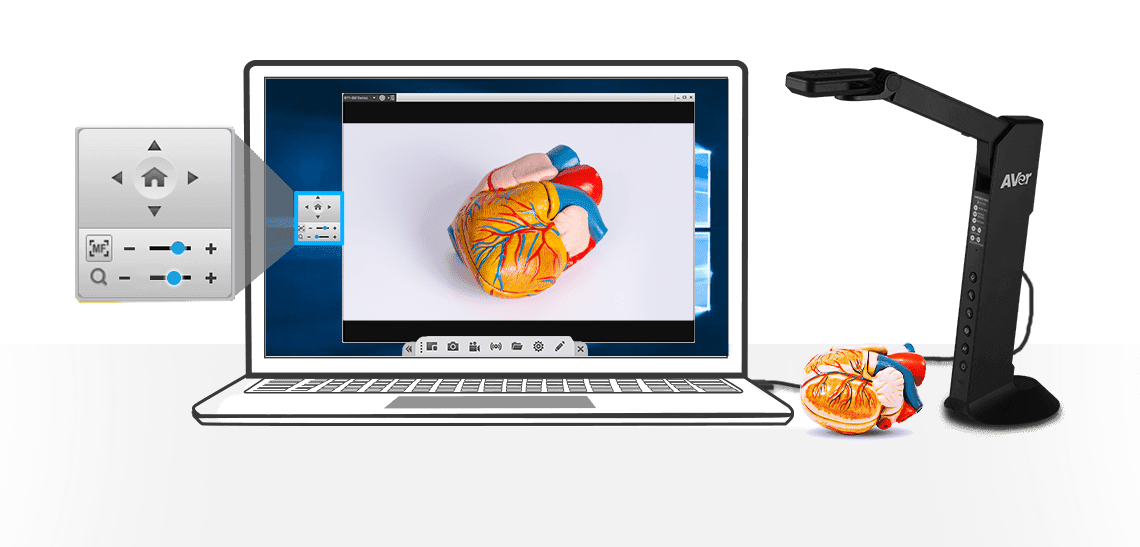
By connecting a USB cable, you can manage AVer cameras’ pan, tilt, zoom, autofocus, presetting, and auto tracking functions. Navigate the simple control panel to operate the cameras just like you would with a remote control. You can even activate AVer’s famous tracking features—Presenter Mode, Zone Mode, and the Click & Track function—when using CaptureShare.
Specifications
Supported devices
| Supported devices | Laptops & desktops for Windows® (Windows 7, 8, 10) Laptops & desktops for Mac® (Mac OS v10.9, 10.10) |
|---|---|
| System requirements for Windows desktop | Intel Core 2 Duo 2.00GHz or higher 2 GB of RAM or above 1024 x 768 or higher resolution display DirectX 9.0c compatible video card |
| System requirements for Mac | Hardware: Intel Core 2 Duo 2.00GHz or higher 2 GB of RAM or above 1024 x 768 or higher resolution display Intel Core 2 Duo 2.00GHz or higher 2 GB of RAM or above 1024 x 768 or higher resolution display Compliance: H.264 format is not supported by default UVC protocol YUV422 format at 1280 x 960, 1280 x 720, 1600 x 900 resolution in standard mode is not supported by default UVC protocol YUV422 format at 1280 x 960 resolution in 8M mode is not supported by YUV422 format H.264 format is not supported by default UVC protocol YUV422 format at 1280 x 960, 1280 x 720, 1600 x 900 resolution in standard mode is not supported by default UVC protocol YUV422 format at 1280 x 960 resolution in 8M mode is not supported by YUV422 format |
| Notes | Minimal system requirements are necessary Internet port 1935 is required for RTMP streaming When the system is overloaded, it may cause failed decoding and image problems |
More from this range
View the range →
Interested in this product?
Request a quote: our team will confirm availability, compatibility and a deployment plan.